
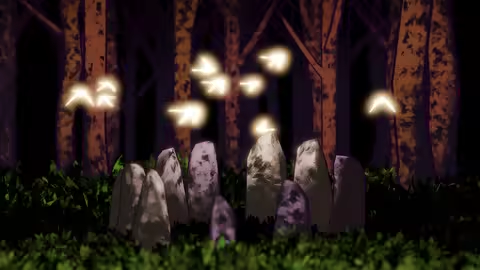

Published 3/2025
MP4 | Video: h264, 1920×1080 | Audio: AAC, 44.1 KHz
Language: English | Size: 3.23 GB | Duration: 4h 1m
Learn Geometry Nodes in this Beginners Course.
What you’ll learn
Navigate and use the Geometry Nodes system confidently in Blender 4.4
Build procedural scenes with animation entirely within a node tree
Use key nodes like Ray Cast, Attribute Statistic, and Geometry Proximity
Apply instancing, scattering, and animation techniques for dynamic effects
Requirements
No prior experience with Geometry Nodes is needed
Basic Blender navigation is helpful but not essential
Blender 4.4 installed on your computer
A willingness to experiment and learn procedural workflows
Description
Welcome to the Geometry Nodes For Beginners course.Geometry Nodes is a visual scripting tool inside Blender that allows for more complex and responsive workflow.We’ve updated our Geometry Nodes course for Blender 4.4By the end of this new course written by Erin and presented by Mike, you’ll learn all the basics of navigating this system, and be able to create an entire scene- all animated within a single node tree.In this course you will learn:All the basics of the new geometry nodes system in Blender 4How to use the node graph and spreadsheet editor with specific shortcutsUnderstand the specifics of the fields systemHow to create geometry and apply materials directly with nodesHow to do displacement, scattering, animation and more…We are both looking forward to seeing what you create!Mike has been professionally teaching Blender since 2014 and has taught tens of thousands of students, enabling them to become proficient in Blender. He co-founded Canopy Games, where he offers comprehensive courses covering various aspects of Blender, from low-poly modeling to geometry nodes and the grease pencil. Mike also shares tutorials on his YouTube channel, providing valuable insights into Blender’s functionalities. His dedication to teaching has significantly contributed to the growth of the Blender community, inspiring countless individuals to explore 3D modeling and animation.Erin Woodford has been using Blender for 12 years and started worked professionally as a 3D artist and educator alongside their degree.While their professional practice has taken them across many different areas, from stylised TV work, to photoreal product and architectural visualisation, the main emphasis in their personal work has always been around exploring and sharing procedural workflows within Blender.
Overview
Section 1: Project Setup
Lecture 1 Introduction
Lecture 2 Setting Up Blender
Lecture 3 Workspace & Shortcuts
Lecture 4 A First Scatter
Lecture 5 Geometry Nodes As A Tool
Lecture 6 How Does Geometry Nodes Work
Lecture 7 Modelling and Materials
Lecture 8 Understanding Instancing
Section 2: Our Glade Project
Lecture 9 Introducing The Glade Scene
Lecture 10 Mesh Displacement
Lecture 11 Scattering A Collection
Lecture 12 Wind 1 Animated Noise
Lecture 13 Wind 2 Affecting The Rotation
Lecture 14 Wind 3 Looping The Animation
Lecture 15 Using Vertex Groups
Lecture 16 Instancing On Vertices
Lecture 17 The Ray Cast Node
Lecture 18 The Attribute Statistic Node
Lecture 19 The Geometry Proximity Node
Lecture 20 Movement Along A Spline
Lecture 21 Looping Around A Spline
Lecture 22 Instancing The Birds
Lecture 23 Instancing Lamps
Lecture 24 Setting Up Billboards
Lecture 25 Extra Challenges & Wrap Up
Blender users curious about procedural modeling and animation,Beginners looking to start using Geometry Nodes with practical examples,Intermediate users wanting to solidify their knowledge of the node system,Artists interested in building flexible, responsive 3D scenes in Blender
原创文章,作者:steven,如若转载,请注明出处:https://rr3d.cn/53122.html
