
掌握在 Photoshop 中进行创意照片编辑的 Photoshop 工具和技术 | 用Photoshop修复旧照片
你会学到什么
您将学习 Adobe Photoshop 中的各种工具和照片编辑技术
您将学习Photoshop 中的各种选择、删除和替换方法,例如魔术棒、套索、克隆、图章、快速选择、优化边缘等
您将学习创建发光文本
您将学习创建各种调整图层来控制曝光、对比度、色相
您将学习饱和度、颜色、渐变贴图等等
要求
Photoshop CC 2017 或更高版本
描述
在本课程中,您将学习 Photoshop 中的各种概念、工具和方法,可用于编辑各种照片、设计或创建数字艺术作品。Adobe Photoshop 是最流行的图像编辑和合成软件,在各个行业都有巨大的需求。随着社交媒体的兴起和互联网的普及,与过去十年相比,人们在数字生活中花费的时间更多。这个数字世界充满了图形和照片,需要大量可以创建图形和照片的人。Photoshop 不仅仅是一个可以创建滤镜的普通移动应用程序,它还是更高级的软件。任何你能想象的东西,都可以用 Photoshop 创建。在本课程中,您将学习创建各种照片编辑的各种方法。从对象选择、移除到天空替换。从各种调整图层到创建 3D 全景图和新画笔。本课程可以帮助您掌握photoshop中的一些工具和技巧,让您可以利用这项技能将您的热情或职业提升到更高的水平。如果您热衷于学习照片编辑或设计,您可以在一周内学习 Photoshop。
什么是 Adobe Photoshop?
Adobe Photoshop 是一种图形或照片编辑器,可处理光栅文件,例如带像素的照片。您可以使用 Photoshop 创建数字艺术作品、编辑照片、创建蒙版、创建合成、设计图形、绘制草图、创建 3D 模型等等。
您将在本课程中学到什么?
在本课程中,您将在 Photoshop 中学习以下概念-
局部愈合
补丁工具
魔杖-天空替换
基本 vs 多边形 vs 磁性套索
快速选择工具
细化边缘
选择性曝光和对比度
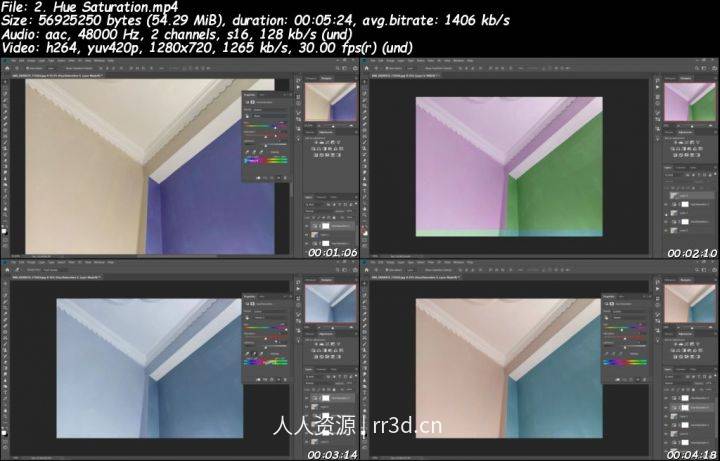
色相饱和度
创建热像仪照片
选择性色彩效果 – 黑色和白色与红色
CHANNEL MIXER 换季 – 季风到秋季
带渐变贴图的简单双色调
混合模式
克隆邮票
创建 3D 球形全景
创建一个新画笔
使用自定义笔刷火焰创建背景
历史画笔工具
旅游明信片
霓虹灯文本
Master Photoshop Tools and Techniques for Creative Photo Editing in Photoshop | Old photo Restoration with Photoshop
Video: .mp4 (1280×720, 30 fps(r)) | Audio: aac, 48000 Hz, 2ch | Size: 2.46 GB
Genre: eLearning Video | Duration: 42 lectures (3 hour, 23 mins) | Language: English
What you’ll learn
You will learn various tools and photo editing techniques in Adobe Photoshop
You will learn various Selection, Removal and Replacement methods in Photoshop such as Magic wand, Lasso, Clone, Stamp, Quick Selection, Refine edge and more
You will learn to create Glowing text
You will learn to create various adjustment layers to control Exposure, Contrast, Hue
You will learn Saturation, Color, Gradient Map and much more
Requirements
Photoshop CC 2017 or later
Description
In this course, you will be learning various concepts, tools and methods in Photoshop that can be used to edit a variety of photos, design or create digital artwork. Adobe Photoshop is the most popular image editing and compositing software that has a huge demand in various industry. With the rise of social media and reach of the Internet, people are spending more time in their digital life compared to the past decade. This digital world is full of Graphics and photo where a large number of people who can create Graphics, and Photos are required. Photoshop is not just an ordinary mobile app that can create filters, it is far more advanced software. Anything you can image, could be created with photoshop. Here in this course, you will be learning various methods to create a variety of Photo edits. From object selection, removal to sky replacement. From various adjustment layers to creating 3D panorama and a new brush. This course can help you master some of the tools and techniques in photoshop, so that you can use this skill to take your passion or career to a higher level. And if you are passionate about learning Photo Editing or Designing, you could learn Photoshop in one week.
What is Adobe Photoshop?
Adobe Photoshop is a Graphics or photo editor that works with raster files such as photos with pixels. You can create a Digital Artwork, edit Photos, create masks, create compositions, design graphics, draw sketches, create 3D models and much more with Photoshop.
What you will be learning in this course?
In this course, you will be learning the following concepts in Photoshop-
Spot Healing
Patch tool
Magic Wand- Sky replacement
Basic vs Polygonal vs Magnetic lasso
Quick selection tool
Refine edge
Selective Exposure and contrast
Hue Saturation
Create thermal camera photo
SELECTIVE COLOR EFFECT- Black and White with Red
CHANNEL MIXER Change Season- Monsoon to Autumn
Simple Duotone with gradient map
Blending modes
Clone stamp
Create 3D spherical panaroma
Create a new brush
Create a Background using custom brush- flame
history brush tool
travel postcard
Neon Glow text
Who this course is for:
Anyone interested to learn Photo editing
People Curious to learn Adobe Photoshop
Professionals and students inclined towards learning Photo Editing skills
原创文章,作者:steven,如若转载,请注明出处:https://rr3d.cn/23560.html
