
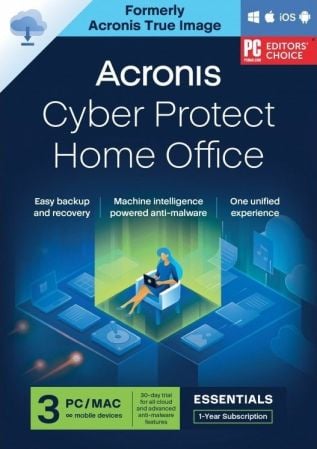
Acronis Cyber Protect Home Office(以前称为 Acronis True Image)是一个全面的个人网络保护解决方案——将先进的网络安全功能与我们同类最佳的备份相结合,以保护用户的个人设备和备份免受当今的网络威胁。
备份和恢复
镜像。磁盘克隆。多合一恢复驱动器。无论发生什么情况,都可以轻松确保您的数据可用于恢复。
随处访问
从您的云备份中检索任何文件,无论您身在何处,在任何设备上。远程管理备份。享受安全的文件同步和共享。
创新保护
唯一使用人工智能实时阻止勒索软件和加密劫持的个人备份解决方案。提供区块链数据公证。
增强的愿景
我们访问和使用数据的方式在不断变化,数据面临的威胁也在不断变化。您的保护也必须发展。Acronis True Image 2020 拥有 100 多项增强功能和新功能,让您随时了解最新情况。
自动双重保护
在本地备份,同时在云中复制,因此您始终可以获得安全的异地副本以进行恢复。
托盘通知中心
推送到桌面托盘的消息使您能够监控备份状态,以便快速响应任何问题。
自定义电源管理
通过有效管理笔记本电脑备份来避免耗尽电池。设置最低功率级别或阻止备用电池电源。
在选择 Wi-Fi 上
备份 您可以选择备份的位置。现在,您可以轻松避免将数据置于危险之中的计量连接和公共网络。
改进的云还原
享受更快的性能和更直观的体验。为更轻松的导航而增强。
高效的一体化保护
使用多种解决方案保护您的数据?然后你会为在你的防守中造成漏洞的拼凑付出更多。Acronis True Image 2020 提供集成功能,您可以通过一个直观的仪表板控制数据保护、网络安全和管理功能。
多功能
使用镜像、文件/文件夹级备份、活动磁盘克隆、云到云 Office 365 备份、基于事件的计划、不间断备份和自动复制云中的本地备份。
灵活
控制您的数据存储位置,无论是本地存储在外部硬盘驱动器、网络文件夹还是 NAS 设备上、异地存储在云中,还是结合使用以确保全面保护。批准特定的 Wi-Fi 网络以避免潜在问题。
视觉
一目了然地了解您的备份。通过将通知推送到桌面托盘来监控备份状态。查看使用我们的可视化仪表板存储的数据类型的文件大小、备份速度和颜色编码显示。
兼容
使用支持最新版本的 Windows、Mac、iOS 和 Android 设备以及虚拟机的解决方案保护您的数据,无论其位于何处。我们的集成反恶意软件防御与其他防病毒软件 100% 兼容。
File size: 690 MB
Acronis Cyber Protect Home Office (formerly Acronis True Image) is a comprehensive personal cyber protection solution – integrating advanced cybersecurity capabilities with our best-of-breed backup to guard users’ personal devices and backups from today’s cyberthreats.
Backup and Recovery
Mirror imaging. Disk cloning. All-in-one recovery drives. It’s easy to ensure your data is available for recovery, no matter what happens.
Anywhere Access
Retrieve any file from your cloud backup, wherever you are, on any device. Manage backups remotely. Enjoy secure file sync and share.
Innovative Protections
The only personal backup solution that uses AI to stop ransomware and cryptojacking in real time. Offers blockchain data notarization.
Enhanced Vision
How we access and use data is constantly changing, as are the threats to that data. Your protection must evolve too. With 100+ enhancements and new features, Acronis True Image 2020 keeps you current.
Automated Dual Protection
Back up locally while simultaneously replicating it in the cloud so you’ve always got a secure off-site copy for recovery.
Tray Notification Center
Messages pushed to your desktop tray enable you to monitor the status of backups so you can quickly respond to any issues.
Custom Power Management
Avoid draining your battery by efficiently managing laptop backups. Set a minimum power level or block backups on battery power.
Back Up on Select Wi-Fi
Where you back up is your choice. Now you can easily avoid the metered connections and public networks that put data at risk.
Improved Cloud Restores
Enjoy faster performance and a more intuitive experience. Enhanced for even easier navigatation.
Efficient, All-in-one Protection
Using multiple solutions to protect your data? Then you’re paying more for a patchwork that creates gaps in your defense. Acronis True Image 2020 delivers the power of integration, with data protection, cybersecurity, and management features you control from a single intuitive dashboard.
Versatile
Back up what you want, how you want with tools like mirror imaging, file/folder-level backups, active disk cloning, cloud-to-cloud Office 365 backups, event-based scheduling, non-stop backups, and automatic replication of local backups in the cloud.
Flexible
Control where you store your data, whether it’s locally on an external hard drive, network folder or NAS device, off-site in the cloud, or a combination to ensure total protection. Approve specific Wi-Fi networks to avoid potential problems.
Visual
Know everything about your backup at a glance. Monitor the status of backups with push notifications to your desktop tray. See file sizes, backup speeds, and color-coded displays of the type of data stored with our visual dashboard.
Compatible
Safeguard your data regardless of where it lives with a solution that supports the latest versions of Windows, Mac, iOS and Android devices, as well as virtual machines. Our integrated anti-malware defense is 100% compatible with other anti-virus software.
Homepage
Download rapidgator
https://rg.to/file/5189dfd13fa763384edbd14fb277efaa/AcronisCyberProtectHomeOffice_39900.iso.html
Download nitroflare
https://nitro.download/view/382592C3ADA4F6A/AcronisCyberProtectHomeOffice_39900.iso
Download 百度网盘
链接: https://pan.baidu.com/s/1XkXMARQgedMUr3Y-q0nSrg?pwd=e8zi 提取码: e8zi
原创文章,作者:steven,如若转载,请注明出处:https://rr3d.cn/32888.html
