
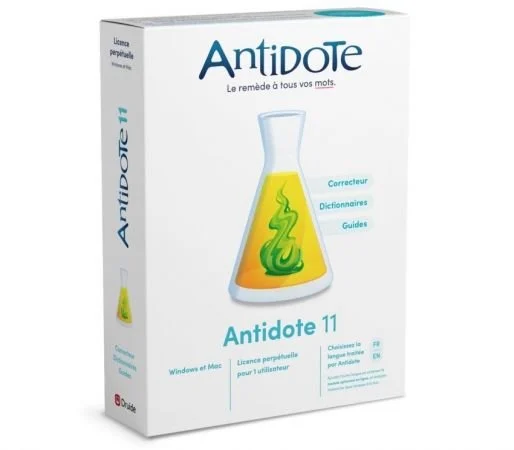
Antidote是一款好用的语法校正软件,使用这款工具可以方便用户对编写的英文内容进行语法的自动校正操作,软件操作非常简单,只需要运行软件将鼠标放在指定的内容上,它就会给出相应的更正建议了,内置了完整的英语字典,并且拥有祥细的语法、符号使用方法。
强大的工具。使用简单。提高写作水平所需的所有工具。Antidote 是一个一站式的多资源平台,肯定对任何用英语写作的人都有用。在一次操作中,Antidote 的校正器会标记出各种各样的错误:从大写和动词一致到不受欢迎的逗号和冗余。在拼写和语法之后,纠正排版和风格,包括重复和沉闷的动词。从来没有一款软件能够为您提供如此强大的功能来完善您的写作。
保持您的写作健康
校正器通过一个简单的操作分析您的文本并标记任何检测。这不仅可以让您纠正任何错误,还可以改进风格。将鼠标悬停在突出显示的单词上以查看带有更正及其解释或建议替换的工具提示。点击确认,文字自动替换。除了更正拼写和语法外,您还可以通过智能过滤器清理排版、消除重复并替换任何不包含在内的术语。从来没有任何软件给你如此强大的力量来完善你的写作。
找到正确的词
阅读定义,然后在资源或词之间切换以确定完美的选择——只需点击几下。查看同义词、反义词、表达方式、语义领域和词族。通过组合找到灵感,这些组合告诉您单词之间最强烈的关联。检查单词的变位,听到它的发音,*注意我们的语言学家强调的困难,并查看数千个精心挑选的例子。凭借其无与伦比的深度和强大的搜索引擎,Antidote 突破了字典的功能极限。
从错误中学习
当您单击更正器中的工具提示时,语法指南将在右侧页面打开,提供规则及其例外的清晰简洁的描述。通过提示和相关示例了解所有内容。轻松浏览相关材料或所有 520 篇文章,涵盖写作的所有方面,包括拼写、词典、标点和句法。
让您的电子邮件出错-证明
告别拼写错误和丢失的附件。反-糟糕!适用于 Windows 和 Mac 上的所有主要电子邮件应用程序。作为安全网,它会在您发送之前分析每条消息,让您在为时已晚之前修复任何疏忽。
Antidote 11:新功能
最完整的写作辅助软件的新版本带来了令人印象深刻的改进,使您更容易保持写作健康。以下是主要的新功能,然后是详细列表。
重新设计的校正器界面
校正器以更加用户友好、干净和实用的布局展示您的文本。隐藏面板并根据需要添加快捷方式,让您专注于文本或了解全局。
更准确、更强大
的校正 校正器现在具有一个新的神经校正引擎,它增加了其计算语言学家的自然智能,从而实现更可靠和多样化的诊断。
新风格更正
通过检测新类型的冗长结构,为您的写作增添更多冲击力。
文本替换
工具提示现在提供更多单词甚至句子重新表述,尤其是在过滤器中,让您可以一键确认替换并改进您的文本。
自定义校正器
将您自己的规则添加到 Antidote 的校正器中,使其成为您完美的写作伴侣。为您想要避免的单词或短语添加警报,甚至更正以一键替换它们。创建自定义预设并将它们直接应用于校正器,例如,取决于收件人的国家种类或出版物的类型。
词典的
新增内容 – 80,000 种额外组合
– 20,000 个新示例经过精心挑选,以根据单词的不同含义突出显示哪些介词与单词搭配
– 11,000 个同义词
– 5,000 个新单词和表达方式,包括 smishing、cleantech 和不可替代的代币
音频发音
Antidote+ 软件包的一项独有功能:可以听到带有多伦多或伦敦口音的超过 500,000 个单词形式的发音。
押韵词典
使用新的押韵和近押韵词典轻松找到理想的押韵或最流畅的谐音。利用语音引擎的力量并按频率、音节等进行过滤。
Windows x64 | Incl. English and French Language Modules | File Size: 1.89 GB
Antidote 11 – New edition. Powerful Tools. Simple to Use. All the tools you need to improve your writing. Antidote is a one-stop, multi-resource platform sure to be useful to anyone writing in English. In a single operation, Antidote’s corrector flags a wide variety of errors: from capitalization and verb agreement to unwelcome commas and redundancies. After spelling and grammar, correct typography and style, including repetitions and dull verbs. Never has a piece of software offered you such power to perfect your writing.
Keep Your Writing Healthy
The corrector analyzes your text and flags any detections in one easy operation. This allows you not only to correct any errors, but also to improve the style. Hover over a highlighted word to see a tooltip with corrections and their explanations or a suggested replacement. Click to confirm, and the text is automatically replaced. As well as correcting spelling and grammar, you can also clean up your typography, eliminate repetitions and replace any non-inclusive terms thanks to the smart filters. No software has ever given you so much power to refine your writing.
Find the Right Word
Read the definition, then toggle between resources or words to pinpoint the perfect choice—all in just a few clicks. View synonyms, antonyms, expressions, semantic fields and word families. Find inspiration with the combinations, which tell you the strongest associations between words. Check the word’s conjugation, hear it pronounced,* take note of the difficulties highlighted by our linguists and view thousands of carefully selected examples. With its incomparable depth and powerful search engines, Antidote pushes the limits of what dictionaries can do.
Learn From Your Mistakes
When you click on a tooltip in the corrector, the grammar guide opens at the right page, providing a clear and concise description of the rules and their exceptions. Learn it all thanks to tips and relevant examples. Easily browse through related material or through all 520 articles, which cover all aspects of writing including spelling, lexicon, punctuation and syntax.
Make Your Emails Mistake-Proof
Say goodbye to typos and missing attachments. Anti-Oops! works with all major email applications on Windows and Mac. Acting as a safety net, it analyzes each message before you send it, allowing you to fix any oversights before it’s too late.
Antidote 11: New Features
The new edition of the most complete writing assistance software comes with an impressive number of improvements that make it even easier to keep your writing healthy. Here are the main new features, followed by a detailed list.
Redesigned Corrector Interface
The corrector showcases your text with a more user-friendly, clean and functional layout. Hide the panels and add shortcuts as you wish, allowing you to focus on the text or get the big picture.
More Accurate and Powerful Correction
The corrector now features a new neural correction engine which adds to the natural intelligence of its computational linguists for more reliable and varied diagnostics.
New Style Corrections
Add even more punch to your writing thanks to the detection of new types of wordy constructions.
Text Replacement
Tooltips now offer more words and even sentence reformulations, especially in the filters, allowing you to confirm replacements and improve your text in one click.
Customize the Corrector
Add your own rules to Antidote’s corrector to make it your perfect writing companion. Add alerts to words or phrases you want to avoid, and even corrections to replace them with in one click. Create custom presets and apply them directly to the corrector depending, for example, on the national variety of the recipients or the type of publication.
Additions to the Dictionaries
– 80,000 additional combinations
– 20,000 new examples carefully selected to highlight which prepositions go with a word according to its different meanings
– 11,000 more synonyms
– 5,000 new words and expressions including smishing, cleantech and non-fungible token
Audio pronunciation
An exclusive feature of Antidote+ packages: the pronunciation of over 500,000 word forms can be heard with a Toronto or London accent.
Dictionary of Rhymes
Easily find the ideal rhyme or smoothest consonance with the new dictionary of rhymes and near-rhymes. Harness the power of the phonetic engine and filter by frequency, syllables and more.
System Requirements:
– Operation System: Microsoft Windows 10, Windows 11 (64-bit)
– RAM : 4 GB Memory
– Processor : x86–64/AMD64, 1 GHz
– Disk space : 6 GB (1 language); 7.5 GB (2 languages); SSD Drive
原创文章,作者:steven,如若转载,请注明出处:https://rr3d.cn/31412.html
