
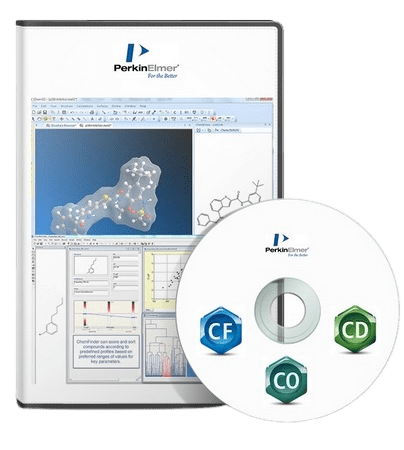
ChemOffice 是一套具有科学智能的个人生产力工具,可帮助科学家有效地跟踪他们的工作,更深入地了解他们的数据,并专业而高效地生成科学报告。ChemOffice 是 ChemDraw 产品最先进功能的桌面套件。ChemOffice 将所有 ChemDraw 功能集于一身。了解有关所有强大绘图功能的更多信息或自行测试。
让您的分子栩栩如生
– 您是否曾希望您可以轻松快速地以 3D 形式传达您的化学研究和报告,而无需使用专业软件的繁琐过程?现在你可以。ChemOffice 允许您在 PowerPoint 中本地粘贴分子的实时 3D 渲染,以及将分子保存为 3D 可打印对象。
看看你画的化学结构是否已经存在于专利文献中不是很好吗?ChemOffice 与 Google Scholar 和 Google Patents 的集成使您能够快速轻松地访问最相关和最新的信息。
– 触手可及的即时安全信息,包括 H&P 短语和 GHS 象形图,是否可以保护您的研究?通过与 PubChem 实验室化学安全摘要 (LCSS) 集成,您可以。
ChemOffice Suite 包括以下应用程序
ChemDraw
被世界各地成千上万的科学家用来快速有效地绘制分子和反应以用于文档和电子实验室笔记本,搜索数据库,从结构中生成准确的名称并预测性质和光谱。
ChemDraw for Excel
将化学智能添加到 Excel 电子表格中,以便化学家可以使用 Excel 的分析、排序和组织工具来进一步操作和丰富化合物和数据集,并探索结构-活性关系
Chem3D
生成 3D 模型,以便化学家可以从三个维度查看他们的化合物,以评估形状和性质,以最大限度地提高活性或特异性
ChemFinder
是一个化学智能的个人数据库系统,科学家们用它来组织他们的化合物,并搜索结构与特性并将其关联起来。
系统要求
– Windows 10、Windows 11(64 位)
– Microsoft Office 2016、2019、2021、365
Languages: English
File Size: 690.98 MB
ChemOffice is a scientifically intelligent, integrated suite of personal productivity tools that helps scientists to efficiently keep track of their work, gain a deeper understanding of their data and produce scientific reports professionally and efficiently. ChemOffice is a Desktop suite of the most advanced capabilities of the ChemDraw products. ChemOffice offers the best of all of the ChemDraw capabilities rolled into one. Learn more about all of the powerful drawing capabilities or test it out for yourself.
Bringing your Molecules to Life
– Have you ever wished you could easily and quickly communicate your chemistry research and reporting in 3D without the cumbersome process of using specialized software? Now you can. ChemOffice allows you to paste a live 3D rendering of your molecule natively in PowerPoint, as well as save molecules as 3D printable objects.
Wouldn’t it be nice to see if the chemical structures you have drawn already exist in the patent literature? ChemOffice integrations with Google Scholar and Google Patents allow you to quickly and easily access the most relevant and up-to-date information.
– Would having immediate safety information, including H&P Phrases as well as GHS Pictograms, at your fingertips safeguard your research? With integration to PubChem Laboratory Chemical Safety Summary (LCSS), you can.
ChemOffice Suite includes the following applications
ChemDraw
Is used by hundreds of thousands of scientists around the world to quickly and effectively to draw molecules and reactions for use in documents and electronic lab notebooks, to search databases, and to generate accurate names from structures and to predict properties and spectra.
ChemDraw for Excel
Adds chemical intelligence to Excel spreadsheets so that chemists can use Excel’s analysis, sorting and organization tools to further manipulate and enrich sets of compounds and data and explore structure-activity relationships
Chem3D
Generates 3D models so that chemists can view their compounds in three dimensions to assess shape and properties to maximize activity or specificity
ChemFinder
Is a chemically-intelligent personal database system that scientists use to organize their compounds and to search for and correlate structures with properties.
System Requirements
– Windows 10, Windows 11 (64-bit)
– Microsoft Office 2016, 2019, 2021, 365
Homepage
Download rapidgator
https://rg.to/file/9b79f5ba0a54afe979e8d40ad9c8987b/ChemOffice.21.0.0.rar.html
Download nitroflare
https://nitro.download/view/AB16D19744BD131/ChemOffice.21.0.0.rar
Download 百度网盘
原创文章,作者:steven,如若转载,请注明出处:https://rr3d.cn/31303.html
